Windows 11 Licence Guide for Gaming PCs: Editions, Official Price, and Activation
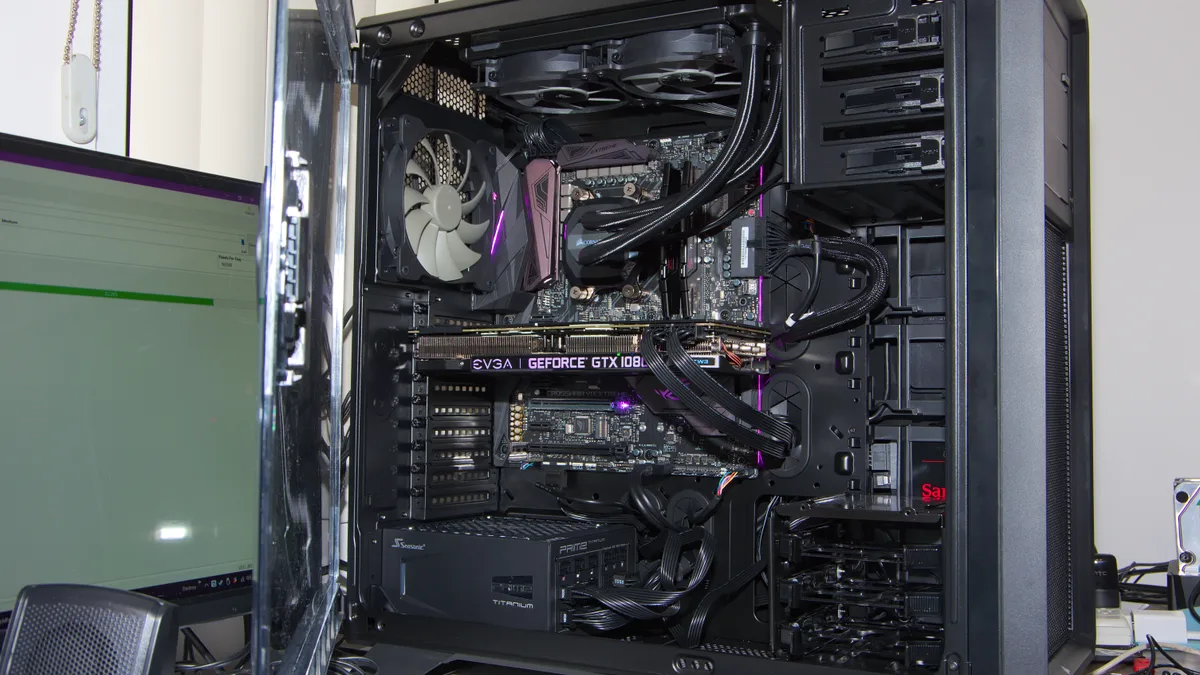
On a gaming PC the Windows licence is often treated as an afterthought, settled only once the graphics card, cooling, and monitor are chosen. Yet this is exactly where money quietly disappears, because a key that activates today is not proof of a lawful licence, and an activation lost after a motherboard swap can make you pay twice.
Every technical rule below is taken from official Microsoft sources: the Activate Windows page, Reactivating Windows after a hardware change, the Windows 11 Specs and System Requirements page, and the Windows 11 Pro product page on Microsoft Store Indonesia.
Two Ways Windows 11 Activates: Digital Licence and Product Key
Microsoft describes two forms of activation right. The first is a digital licence, called a digital entitlement in Windows 11, an activation method that does not require you to enter a key at all. The second is a product key, a 25 character code arranged in five groups of five characters.
The difference matters when you reinstall. If your device has a digital licence, Microsoft states you can reinstall the same edition of Windows 11 on that device without entering a product key. When setup asks for a key, you select the option I do not have a product key, and Windows 11 activates online automatically once installation finishes.
If you have neither, there is an official path too: open Start, select Settings, System, then Activation, and choose Go to Store to buy a digital licence through the Microsoft Store app. On a first install on a new device or motherboard without a key, you select I do not have a product key during setup, enter the Microsoft account you want to use, then buy the licence through Activation once Windows is installed.
Why Successful Activation Does Not Prove a Lawful Licence
This is the official line worth reading twice. Microsoft explains that activation is a technical process that pairs the product key or digital entitlement with the hardware configuration of the device. It does not evaluate the authenticity of the copy itself, and it does not guarantee that the copy of Windows is genuine. All activation does is ensure the key or entitlement is valid for that hardware configuration. Validation is a separate process that checks critical Windows licensing files have not been damaged, deleted, or removed, and it is required to receive certain updates and downloads.
The consequence shows up immediately in the cheap key market. A seller saying it has been tested and activates fine is not evidence of legality, only evidence that the key was valid for the hardware it was tried on. Those are two different claims. We apply the same reasoning to other digital goods in how to check a digital code is genuine and safe shopping tips for digital products.
The Minimum System Requirements That Decide Everything
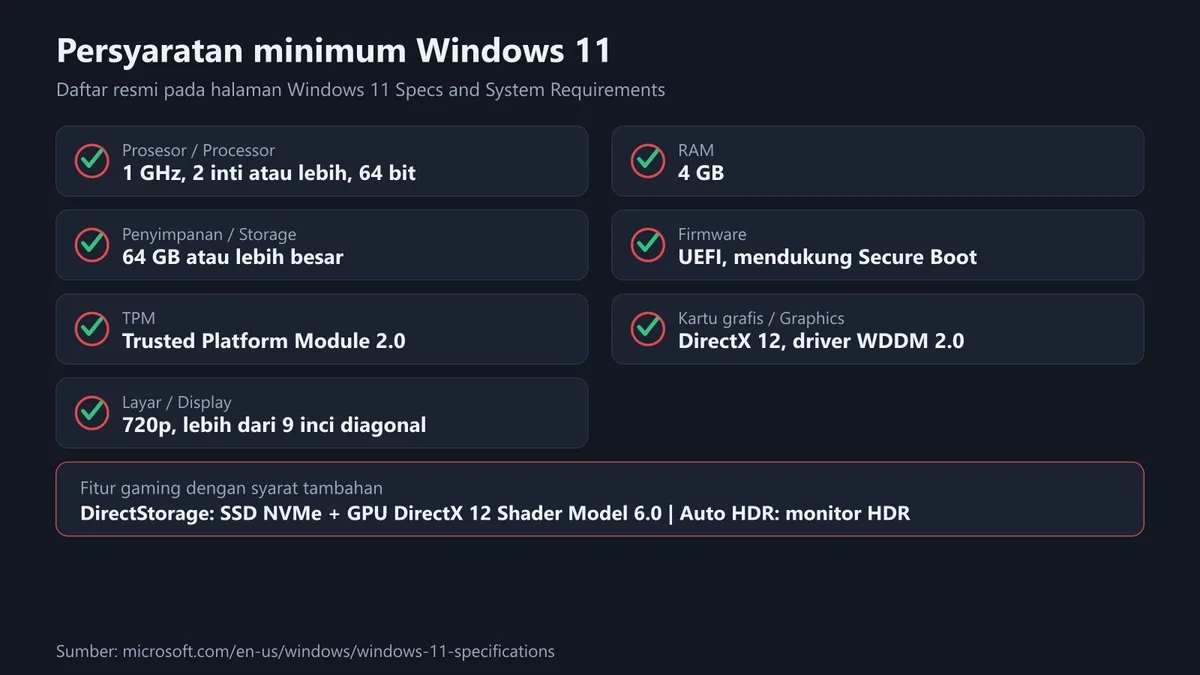
Before discussing price, make sure your machine qualifies. The official Windows 11 specifications page lists the following minimum requirements.
| Component | Official minimum requirement |
|---|---|
| Processor | 1 GHz or faster with 2 or more cores on a compatible 64 bit processor or System on a Chip |
| RAM | 4 GB |
| Storage | 64 GB or larger storage device |
| System firmware | UEFI, Secure Boot capable |
| TPM | Trusted Platform Module version 2.0 |
| Graphics card | Compatible with DirectX 12 or later with a WDDM 2.0 driver |
| Display | High definition 720p display greater than 9 inches diagonally, 8 bits per colour channel |
The last two rows are what most often block older PCs: firmware still running in legacy mode, and TPM left disabled in the BIOS. Microsoft attaches explanation links to both rows, because many devices can in fact meet the requirement once their settings are changed.
Gaming PC owners should note several features carry requirements beyond the minimum list. Microsoft states DirectStorage requires an NVMe SSD to store and run games that use the Standard NVM Express Controller driver, plus a DirectX 12 GPU with Shader Model 6.0 support. Auto HDR requires an HDR monitor. The Xbox PC app requires a Microsoft account, which is not available in all regions, and some of its features require an active Xbox Game Pass subscription sold separately.
If you are planning a new build, three reads round out the hardware decision: optimising a PC for gaming, what case airflow and gaming fans are, and our best gaming monitors of 2026. For peripherals there is the gaming keyboard guide.
Official Pricing on Microsoft Store Indonesia
Microsoft Store Indonesia lists Windows 11 Pro in download form at Rp4,299,999 on its official product page. We read that figure on 17 September 2026 and it can change, so check the official page before buying. For the Home edition, check the current price directly on Microsoft Store, since edition availability differs between regions.
One official note on that product page is easy to miss and decides whether the purchase is useful at all. Microsoft states the version is designed for PCs that need a new licence for Windows and that meet the Windows 11 minimum system requirements. If your PC runs Windows 10 and you cannot use Windows Update to install the free upgrade to Windows 11, you will not be able to install this version of Windows 11.
The official specifications page adds the upgrade path condition: the device must be running Windows 10 version 2004 or later to upgrade, and the free updates are available through Windows Update under Settings, Update and Security.
The gap between official store pricing and the cheap key market is wide, which is exactly why people are tempted. How to judge a price gap honestly, including when it is reasonable and when it is a warning sign, follows the same framework we use for game products in how to buy digital games cheaply and how to save money on game keys. The tax component that makes final prices differ between stores is explained in understanding VAT on digital products.
Where Your Licence Lives Depending on How You Bought It
The most common question after buying is simply where the key is. The answer depends on the purchase route, and Microsoft publishes the mapping. The table below reorganises that list.
| How you obtained Windows 11 | Form of activation right | Where to find it |
|---|---|---|
| Free upgrade from a genuine Windows 10, 8.1, or 7 | Digital licence | Held by the Microsoft account you associated with that digital licence |
| Buying genuine Windows 11 from the Microsoft Store app | Digital licence | The purchase confirmation email shows the Microsoft account holding the digital licence |
| Buying a box copy from an authorised retailer | Product key | On a label inside the Windows 11 box |
| Buying a digital copy from an authorised retailer | Product key | In the confirmation email or a digital locker on the retailer website |
| Buying a new or refurbished device running Windows 11 | Product key | Preinstalled on the device, included with packaging, or on a card or Certificate of Authenticity. For a refurbished PC the refurbisher, not Microsoft, must provide the key |
| Buying from Microsoft Store online | Product key | In the confirmation email containing the order history |
| Volume Licensing agreement or MSDN subscription | Product key | Through the web portal for that programme |
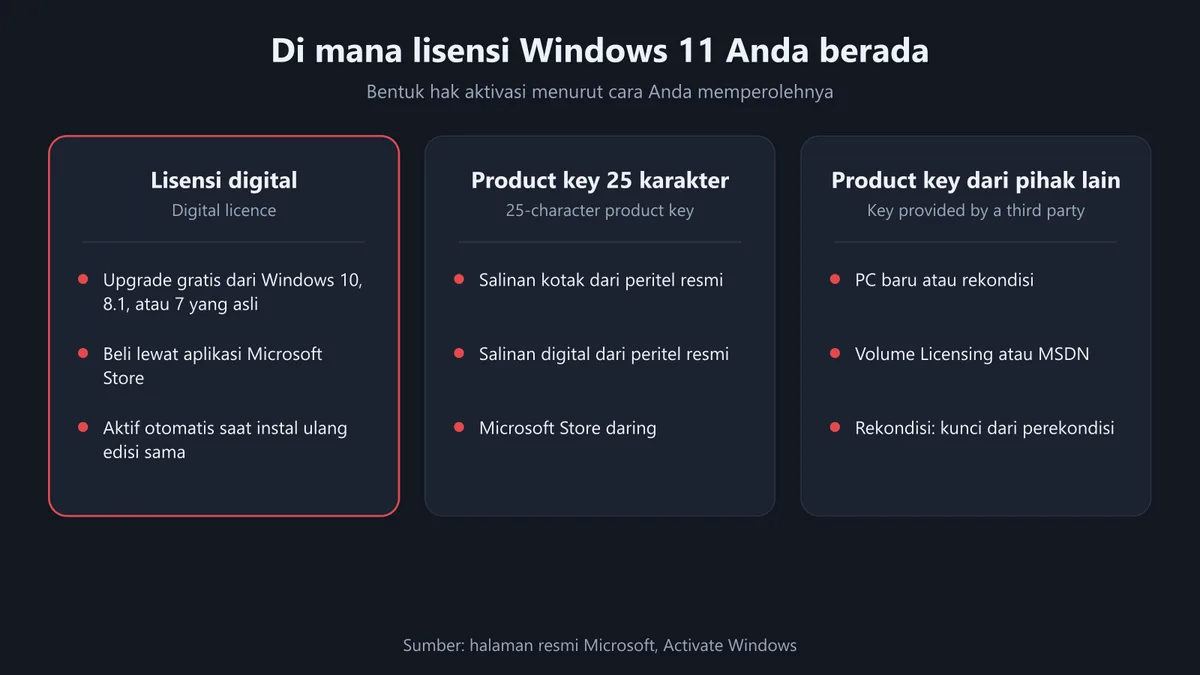
The last two rows explain a recurring source of confusion. Keys from volume programmes and keys from refurbished devices have different origins and different responsibilities than retail keys. If a seller cannot explain which route applies to the key being sold, that is the signal to stop asking about price and start asking about origin.
Microsoft also states that a digital licence will be given to your device based on the valid product key you entered. In other words, a correct key still ends up as a digital licence on that device.
Linking a Microsoft Account: the Step That Saves a Hardware Swap
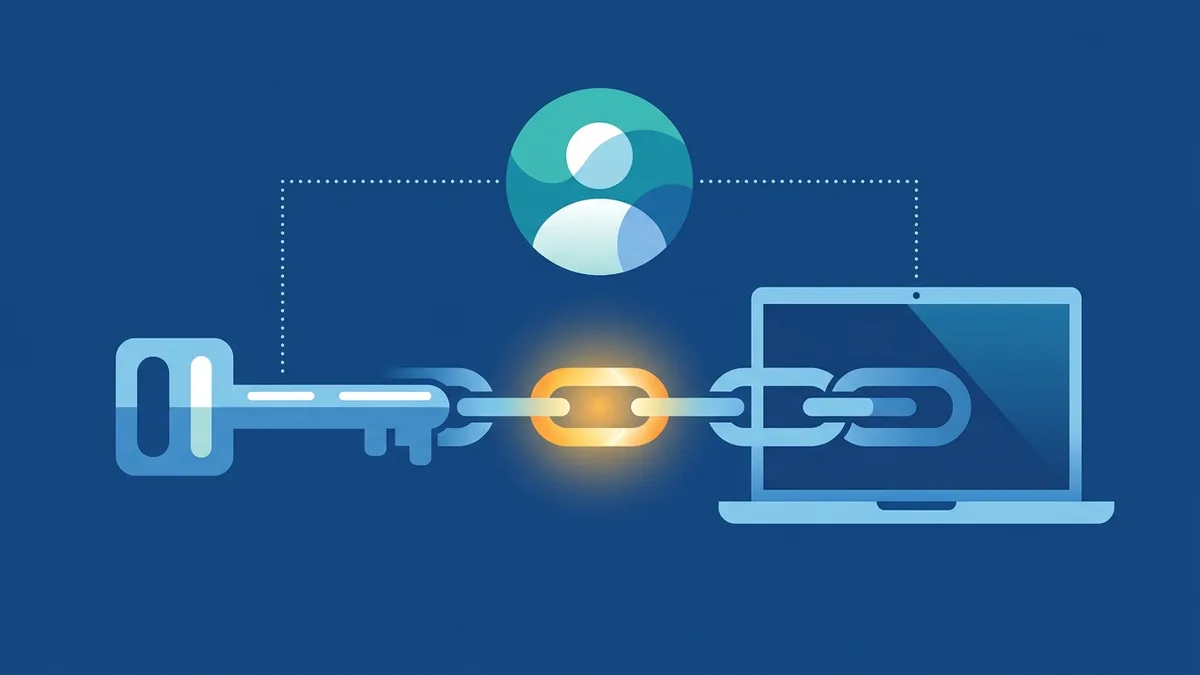
Microsoft calls this step essential. Linking your Microsoft account with the digital licence on your device lets you reactivate Windows using the Activation troubleshooter whenever you make a significant hardware change.
To check the status, open the Activation page in Settings. Two messages need to be told apart. Windows is activated with a digital license means your Microsoft account is not yet linked to the digital licence, and you need to link it. Windows is activated with a digital license linked to your Microsoft account means the account is already linked and no further action is needed.
To link it, sign in as an administrator to add the Microsoft account. Once the account has been added, the Activation page will show that Windows is activated with a digital licence linked to your Microsoft account.
Motherboard Swaps and Gaming PC Upgrades
For owners of custom builds this is where panic usually starts. Microsoft states that when Windows 11 is installed, the digital licence associates itself with your device hardware. If you make a significant hardware change such as replacing the motherboard, Windows will no longer find a licence that matches your device, and you will need to reactivate.
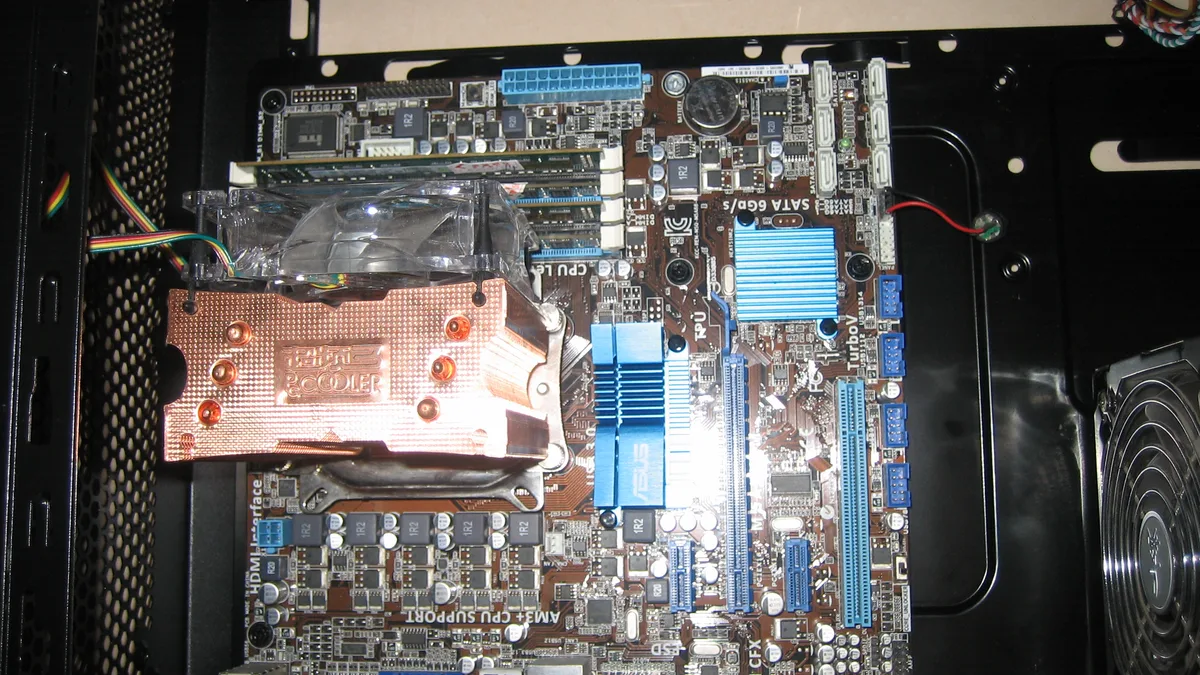
Three official rules decide the outcome.
- The edition must match. Microsoft states you should make sure the edition, Windows 11 Home or Windows 11 Pro, is the same before and after your hardware change. Your digital licence and product key will reactivate only if the edition remains the same.
- The account link must exist beforehand. You need to add your Microsoft account and link it to the digital licence on the device first, then run the Activation troubleshooter to reactivate Windows 11.
- The troubleshooter only appears while inactive. Microsoft states the troubleshooter is only available if your copy of Windows 11 is not activated, and it works only with the connected Microsoft account.
If the device you are using does not appear in the troubleshooter results, Microsoft suggests making sure you signed in with the same Microsoft account associated with that device digital licence. For a retail copy installed using a Windows 11 product key that then underwent hardware changes, Microsoft states the process is the same, except you use that product key.
One scenario is worth preparing for in advance: if you did not link a Microsoft account before the hardware change and you used a product key to move to Windows 11, the path differs and you will need to enter the product key. Linking the account early costs nothing at all.
Checklist Before Buying a Windows Licence
- Check first whether your PC meets the minimum requirements, especially UEFI with Secure Boot and TPM 2.0.
- If you are still on Windows 10, check whether the free upgrade path through Windows Update is available for your device, because Microsoft states the paid Store copy is intended for PCs that genuinely need a new licence.
- Make sure the edition you buy matches your needs. Features such as BitLocker to Go and Client Hyper-V are listed by Microsoft as available in Windows Pro and above.
- Ask the seller about the origin of the key, not just the price. Retail, OEM, refurbished device, and volume licensing are not the same thing.
- Keep the purchase confirmation email. For several purchase routes that is exactly where your key or licence proof lives.
- Link your Microsoft account to the digital licence right after activation, before you touch the motherboard.
- Note the installed edition. When reinstalling, choose the same edition already on the device.
- If a payment fails or a product does not match, understand the applicable refund process first. The general principles are in how to refund a digital product.
If you routinely buy digital goods in code form, the mental model is the same as for game keys: a code is only a carrier of a right, and what makes it safe is origin plus transaction proof. The mechanics are explained in how digital game keys work, the beginner guide to digital game keys, and where to activate game codes by platform. Our own seller verification process is on the how we verify page.
Frequently Asked Questions
What is the official price of Windows 11 Pro in Indonesia?
Microsoft Store Indonesia lists Windows 11 Pro in download form at Rp4,299,999 on its official product page, read on 17 September 2026. Prices can change, so check the official page before buying, and check the Home edition price directly on Microsoft Store since edition availability differs by region.
Does a key that activates mean the licence is lawful?
Not automatically. Microsoft states activation pairs the product key or digital entitlement with the hardware configuration, does not evaluate the authenticity of the copy, and does not guarantee the copy is genuine. Activation only confirms the key is valid for that hardware configuration.
What is the difference between a digital licence and a product key?
A digital licence, called a digital entitlement in Windows 11, is an activation method that does not require you to enter a key. A product key is a 25 character code used to activate Windows. Microsoft states a digital licence will be given to the device based on the valid product key you entered.
Do I need to enter the key again when reinstalling?
If your device has a digital licence, Microsoft states you can reinstall the same edition of Windows 11 without entering a product key. When prompted, select I do not have a product key, and Windows 11 will activate online automatically after installation completes.
What happens if I replace the motherboard?
Microsoft states the digital licence associates itself with your device hardware, so a significant change such as replacing the motherboard means Windows no longer finds a matching licence and you need to reactivate. The correct preparation is linking your Microsoft account to the digital licence before the swap.
Can I switch from Home to Pro during a hardware change?
For reactivation purposes, Microsoft states the edition must be the same before and after the hardware change. Digital licences and product keys reactivate only if the edition remains the same, so changing edition is a separate matter from recovering activation.
Why does the Activation troubleshooter not appear on my device?
Microsoft states the tool is only available if your copy of Windows 11 is not activated. It also works only with the connected Microsoft account, so make sure you are signed in with the same account associated with that device digital licence.
What are the minimum Windows 11 requirements for a gaming PC?
The official minimums are a 1 GHz or faster processor with two or more cores on a compatible 64 bit processor, 4 GB of RAM, 64 GB or larger storage, UEFI firmware that is Secure Boot capable, TPM version 2.0, a DirectX 12 compatible graphics card with a WDDM 2.0 driver, and a 720p display greater than 9 inches. For specific gaming features, DirectStorage requires an NVMe SSD and a DirectX 12 GPU with Shader Model 6.0, while Auto HDR requires an HDR monitor.
If I buy a refurbished PC, who provides the product key?
Microsoft states that for a refurbished PC the refurbisher, not Microsoft, must provide you a product key. Keys for new devices are typically preinstalled on the device, included with the packaging, or provided on a card or Certificate of Authenticity.
Does the Xbox app on PC need a separate subscription?
The Xbox PC app requires a Microsoft account, and Microsoft notes that account is not available in all regions. Some features in the Xbox app also require an active Xbox Game Pass subscription sold separately, and we compared that service in Xbox Game Pass vs PS Plus.
Digidang Team
Gaming enthusiast and marketplace expert sharing tips, guides, and the best gaming deals.