How to Redeem an Xbox Code on Console, Windows PC and Mobile

To redeem an Xbox code, sign in to the Microsoft account that should own the content, then enter the 25-character code on your console under Store, in the Xbox app settings, or at xbox.com/redeem. Every step below is taken from Xbox Support and was checked on 2 October 2026.
This guide belongs to our game code activation hub, which also covers Steam, PlayStation, Nintendo, Epic Games, Battle.net and Roblox. Digidang does not sell or give away codes. We compare prices and link to G2A, so this page only explains how redemption works on Microsoft's side.
What does an Xbox code look like?
An Xbox code is a 25-character string of letters and numbers, written as five blocks of five characters (XXXXX-XXXXX-XXXXX-XXXXX-XXXXX). Xbox Support notes that codes from other publishers can look similar, for example Fortnite V-Bucks cards, but those are redeemed in the game or on the publisher's website (source).
That difference matters. If a code is shaped like an Xbox code but the card or email names another publisher, follow the instructions that came with it instead of the Xbox redeem screen.
Check these before you redeem
Xbox Support lists a few conditions that cause most failed or misplaced redemptions (Xbox Support, Before you redeem):
- Right account: sign in to the account that should receive the content. A gifted code belongs on the recipient's account.
- No transfers: once redeemed, Xbox Support cannot move a code to another Microsoft account.
- Region: some codes are tied to a country or region, and the region on your Microsoft account should match where you are.
- Payment info: you may be asked for a payment option before redeeming, without being charged extra for the code.
- Account status: some codes cannot be redeemed while the account is suspended or has a balance due.
Xbox Support also warns that some codes come with extra redemption instructions. Read the card, email or order page to the end before typing anything, because those instructions decide whether the code goes into the Xbox Redeem screen or somewhere else (Xbox Support).
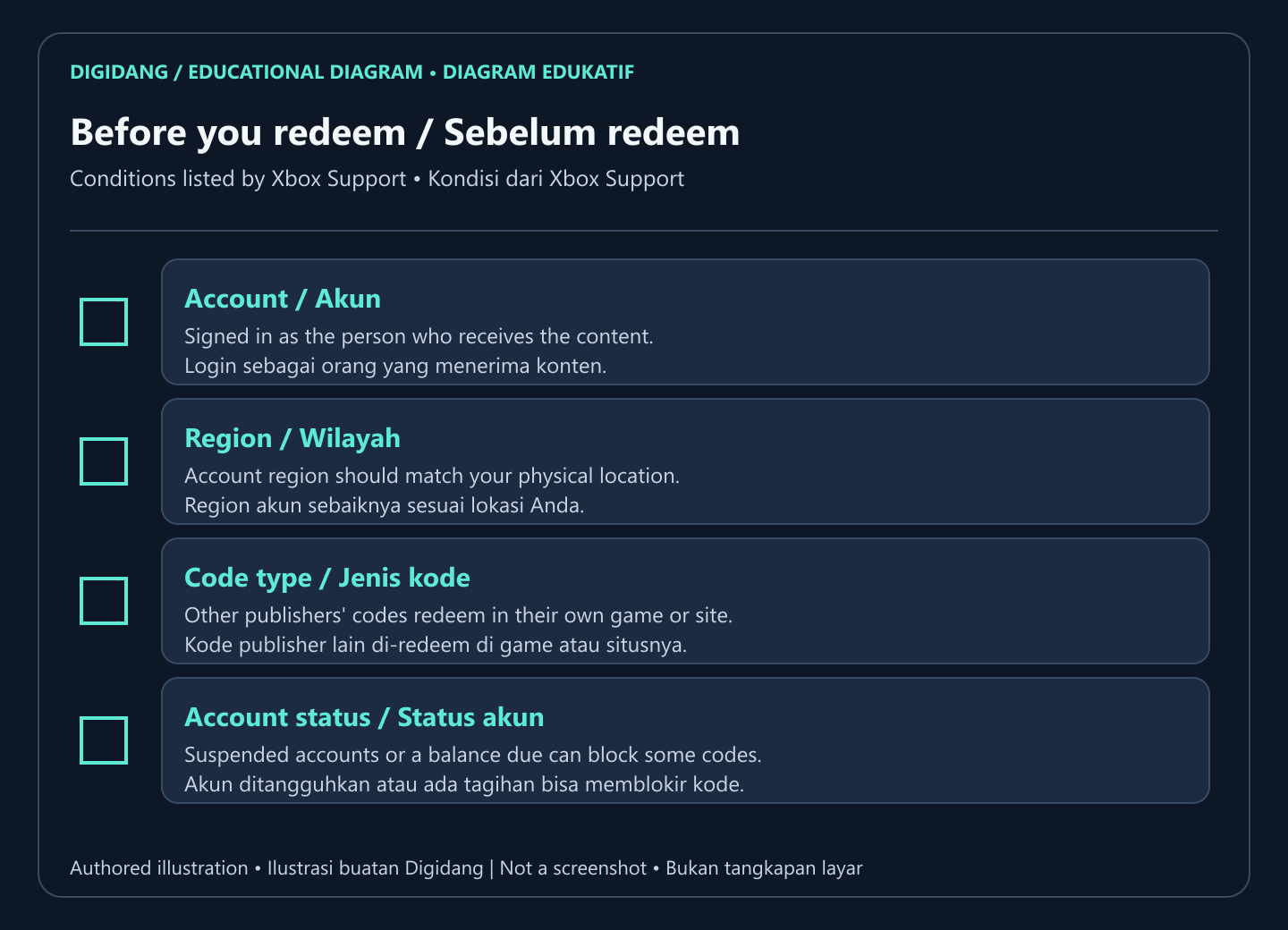
Of those four, the account and the region cause the problems you cannot undo. A code that lands on the wrong account cannot be moved by Xbox Support, so read the account name on screen before you select Next. To understand why a card from one country can be refused on an account set to another, see our guide to digital gift card regions.
Redeem an Xbox code on an Xbox console
On Xbox Series X|S and Xbox One the redeem option lives in the Store side menu. Xbox Support gives these steps (source):
- Press the Xbox button to open the guide, then select Store.
- Press the View button to open the side menu, then select Redeem.
- Enter the code, select Next, and follow the prompts.
Games and add-ons install automatically after a console redemption. While they download they appear under My games & apps, Manage, Queue.
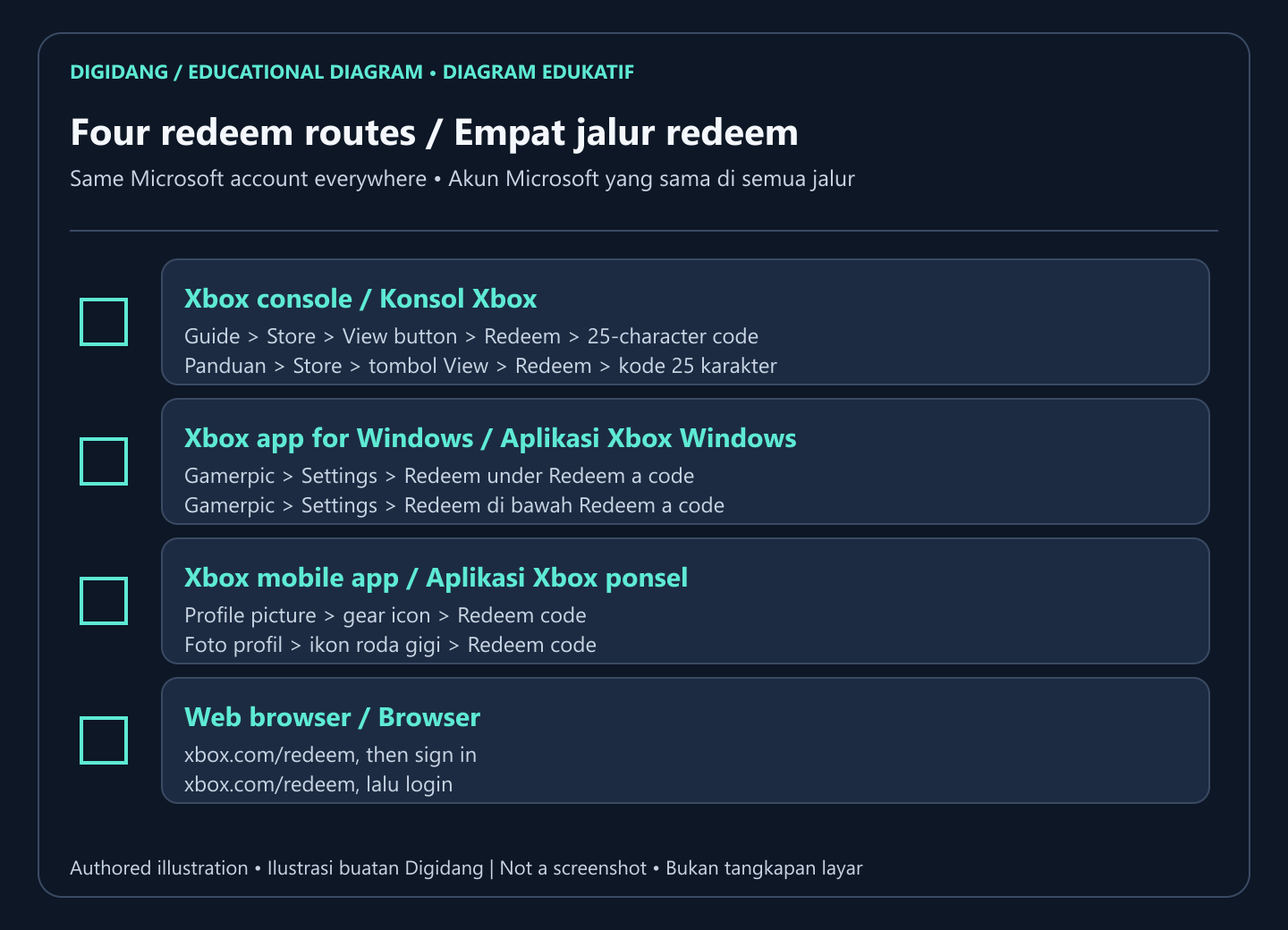
All four routes end in the same place: the code is recorded on your Microsoft account. Use whichever is closest to hand. If you are sitting at the console, the Store menu is quickest. If the code arrived by email while you are on your phone, the Xbox app or a browser is easier, and the content can download on the console later.
Redeem an Xbox code in the Xbox app for Windows
PC players can redeem in the Xbox app without opening a browser. The official steps are (Xbox Support):
- Press the Start button and type Xbox in the search bar.
- Open the Xbox app from the results.
- Select your gamerpic, then Settings.
- Select Redeem under Redeem a code.
- Enter the code, select Next, and follow the prompts.
Redeem an Xbox code on mobile or the web
The Xbox mobile app has its own redeem option inside settings:
- Open your profile by selecting your profile picture.
- Open settings with the gear icon.
- Select Redeem code, enter the code, select Next, and follow the prompts.
On any browser you can go to xbox.com/redeem, which Xbox Support links as the fastest way to redeem now. Sign in with the same Microsoft account you use on your console or PC, and the content appears there the next time you sign in.
Where to find content after redeeming
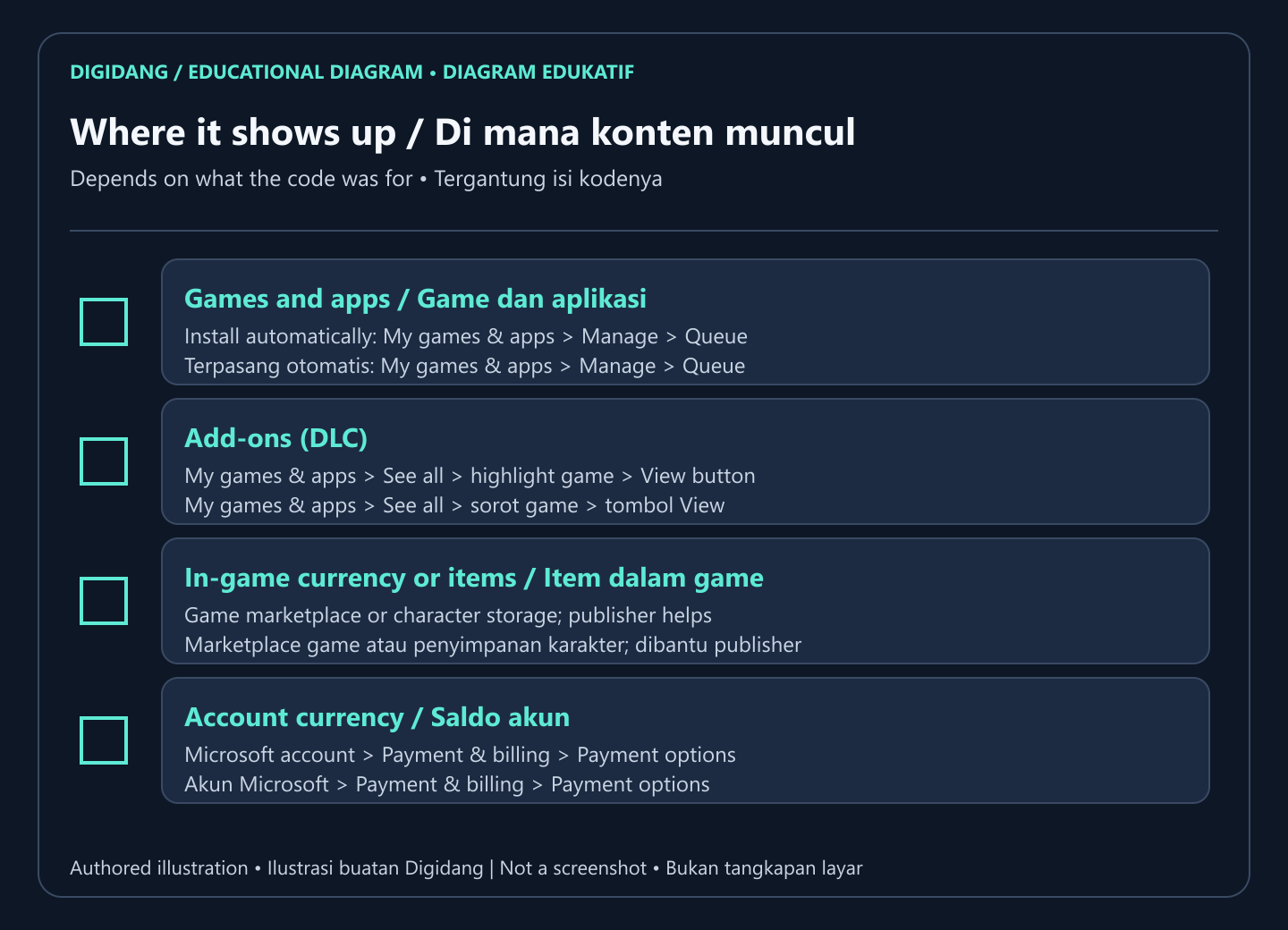
Where the item shows up depends on what the code was for. Xbox Support describes three cases (source):
- Games and apps: they install automatically on the console and show in the install queue while downloading.
- Add-ons (DLC): open My games & apps, See all, highlight the game, press the View button, and look in the add-on list.
- In-game currency or items: check the game's own marketplace or your character's storage. The game publisher handles questions about these items.
How to check your Microsoft account balance after redeeming
When a code adds money, such as an Xbox gift card, the amount goes to your Microsoft account balance for use in the Microsoft Store. Xbox Support describes two ways to check it (source):
- On the web: sign in to your Microsoft account, then open Payment & billing, Payment options.
- On the console: press the Xbox button, select Profile & system, Settings, Account, then Payment & billing and the Payment options tile.
Checking the balance right after redeeming is a good habit. If the number went up, the code worked and there is nothing to repeat. If it did not, avoid entering the same code again and again; first confirm you are on the right account. Our Xbox gift card guide covers the card types in more depth, and account settings are explained in our Microsoft account guide.
Codes and offers are not the same thing
Not everything you get from Microsoft is a code. Xbox Support separates codes from offers. An offer is sent straight to your account with nothing to type, it is only visible when you are signed in to the account that received it, and it cannot be moved to another account. Offers bundled with a new device are called Digital Direct offers and have their own help page (Xbox Support).
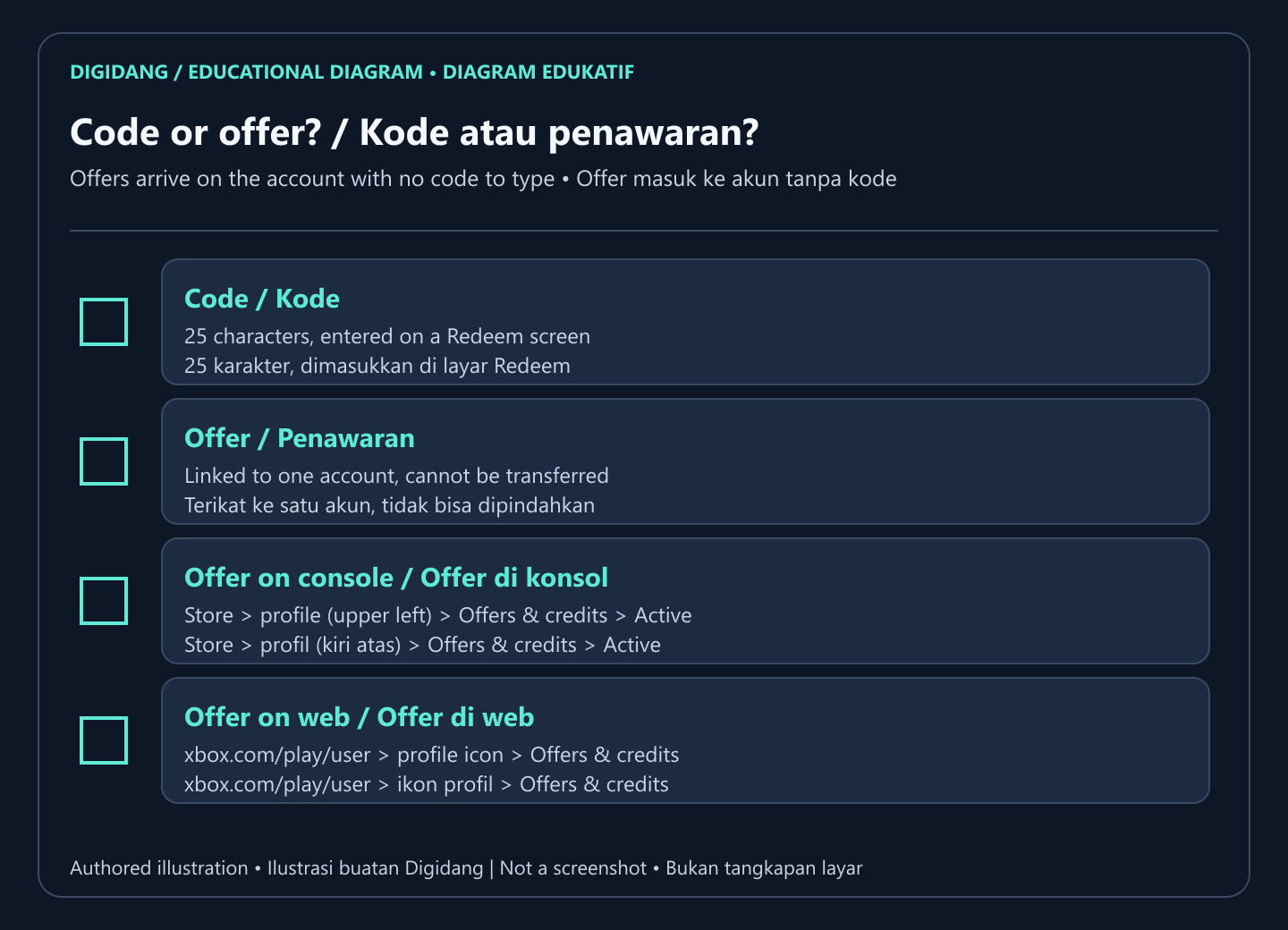
To redeem an offer on a console, open Store, select your profile in the upper left of the side menu, then Offers & credits. Every available offer is listed under Active. On the web, go to xbox.com/play/user, sign in, select your profile icon and then Offers & credits. Xbox Support notes that redeeming offers in the Xbox app is not available at this time, so use the console or the web.
Xbox redeem routes compared
The table below sums up the official routes covered above, so you can pick the one that fits the device in your hand.
| Route | Menu to open | Best when |
|---|---|---|
| Xbox console | Store, View button, Redeem | You are at the console and want the game to install right away |
| Xbox app for Windows | Gamerpic, Settings, Redeem a code | You play on PC and the app is already installed |
| Xbox mobile app | Profile picture, gear icon, Redeem code | The code arrived on your phone and the console is busy |
| Browser | xbox.com/redeem | You want the fastest route from any device |
| Offer | Offers & credits on console or web | There is no code and the offer is already on the account |
When an Xbox code does not work
Retype the code first and compare similar characters, then confirm you are on the right account and region. If the error stays, the Xbox Support redeem page links to a dedicated "My digital code or gift card doesn't work" troubleshooter from its FAQ section (Xbox Support). Keep a screenshot of the error and the code, because both Microsoft and the seller will ask for them.
Typos tend to happen on characters that look alike, such as zero and the letter O, or one and the letter I. An Xbox code always has 25 characters in five blocks, so count them again. If the code turns out to belong to another publisher, such as an in-game currency card, redeem it in the in-game store or on the publisher's website as Xbox Support describes, not on the Xbox Redeem screen.
Giving an Xbox code as a gift
Xbox codes are often bought for someone else. Xbox Support is clear about this case: if the code was purchased through another account as a gift, the account that signs in to redeem it should belong to the person who received the gift (Xbox Support). Do not redeem it on your own account just to test it, because once it is redeemed it cannot be moved.
The safest approach is to send the code as it is and let the recipient redeem it on their own device. If the recipient is a child on a family account, sit with them on the console or app that is signed in to their account. Check the recipient's account region before sending too, since a card bought for a different region can be refused. Keep the receipt until the recipient confirms the content has appeared.
Buying an Xbox code safely
Before paying, read the region and platform labels on the listing. A key labelled for one region can be refused on an account set to another, and a PC key is not always the same product as a console key. On Digidang every Buy Now button opens a matching listing on G2A, and the order, warranty and refund follow G2A's terms for that listing, as explained on Is Digidang Safe?.
Be careful with anyone offering free Xbox codes in exchange for a survey, a download or your login details. Microsoft only confirms a code when it is entered on its own redeem screen.
Other platforms
The activation hub lists the redeem steps for every major platform, and there are dedicated guides for redeeming a PlayStation Store code and redeeming a Nintendo eShop code.
If you play on PC through Steam, follow how to redeem a game code on Steam. For the bigger picture on keys, read how digital game keys work and where to activate game codes by platform. Game Pass members can continue with our Xbox Game Pass guide.
Frequently Asked Questions
How many characters are in an Xbox code?
An Xbox digital code has 25 letters and numbers, written as five blocks of five characters (XXXXX-XXXXX-XXXXX-XXXXX-XXXXX), as described by Xbox Support.
Can an Xbox code be moved to another account after redeeming?
No. Xbox Support states that a redeemed code cannot be transferred to another Microsoft account, so sign in to the recipient's account before you select Next.
Will I be charged if I am asked for payment info?
Xbox Support says you may be asked to add a payment option before redeeming, but you will not accrue additional charges when the code is redeemed.
What is the fastest place to redeem an Xbox code?
Xbox Support links xbox.com/redeem as the quickest way. Sign in with the same Microsoft account you use on your console or PC and enter the code.
Why will a V-Bucks code not work in the Xbox Redeem menu?
Codes from other publishers, such as Fortnite V-Bucks cards, can look like Xbox codes but must be redeemed in the in-game store or on the publisher's website, following the card's instructions.
How do I check my balance after redeeming an Xbox gift card?
Sign in to your Microsoft account and open Payment & billing, Payment options. On the console, go to Profile & system, Settings, Account, then Payment & billing and the Payment options tile.
Can I redeem an Xbox offer in the Xbox app?
Not yet. Xbox Support notes that redeeming offers in the Xbox app is not available at this time, so use Offers & credits on the console or at xbox.com/play/user.
What should I do if the code is still rejected?
Retype the code, check the account and region, then open the "My digital code or gift card doesn't work" help linked by Xbox Support. Keep a screenshot of the error and your proof of purchase for the seller.
Digidang Team
Gaming enthusiast and marketplace expert sharing tips, guides, and the best gaming deals.